Test once.
On iOS and Android.

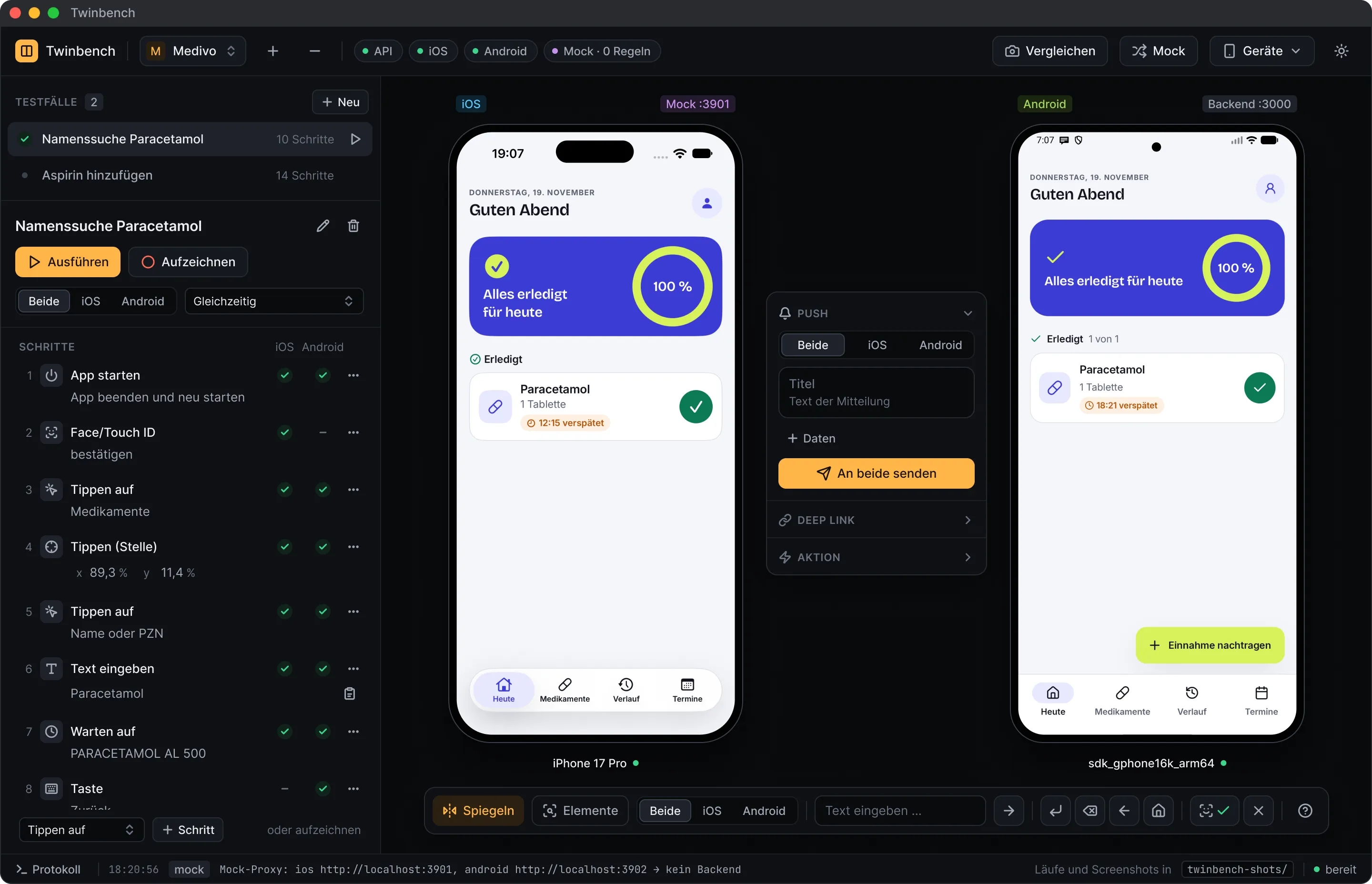
Twinbench shows the iOS simulator and the Android emulator side by side in one window. Every input goes to both devices.

Not released yet. Testers get the app today.

The Twinbench window with the Medivo project: the steps of a test case on the left, next to them the same app in the iPhone simulator and in the Android emulator, and between the devices the bar for sending push notifications.

Use two apps
as if they were one.

Mirrored input

Tap, swipe, type: every input happens on both devices, in the same place.
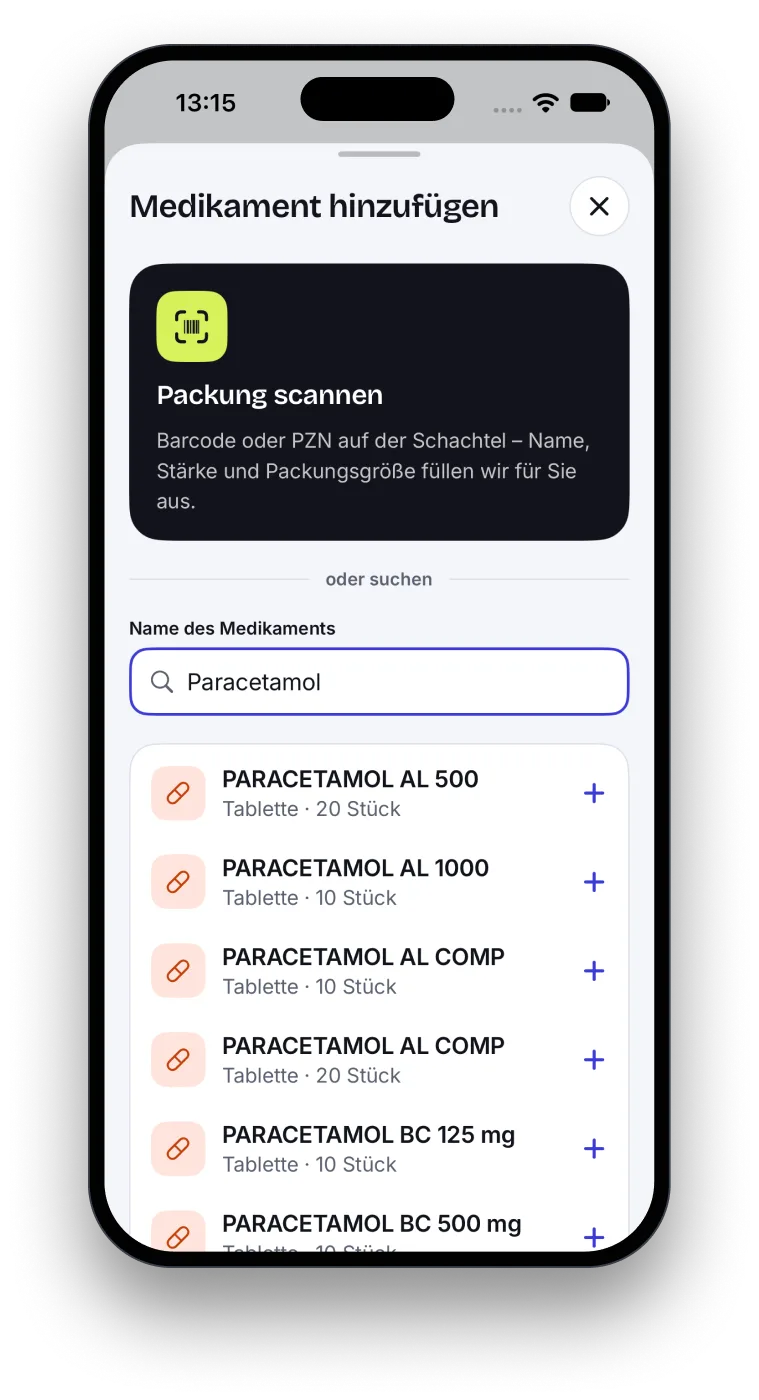
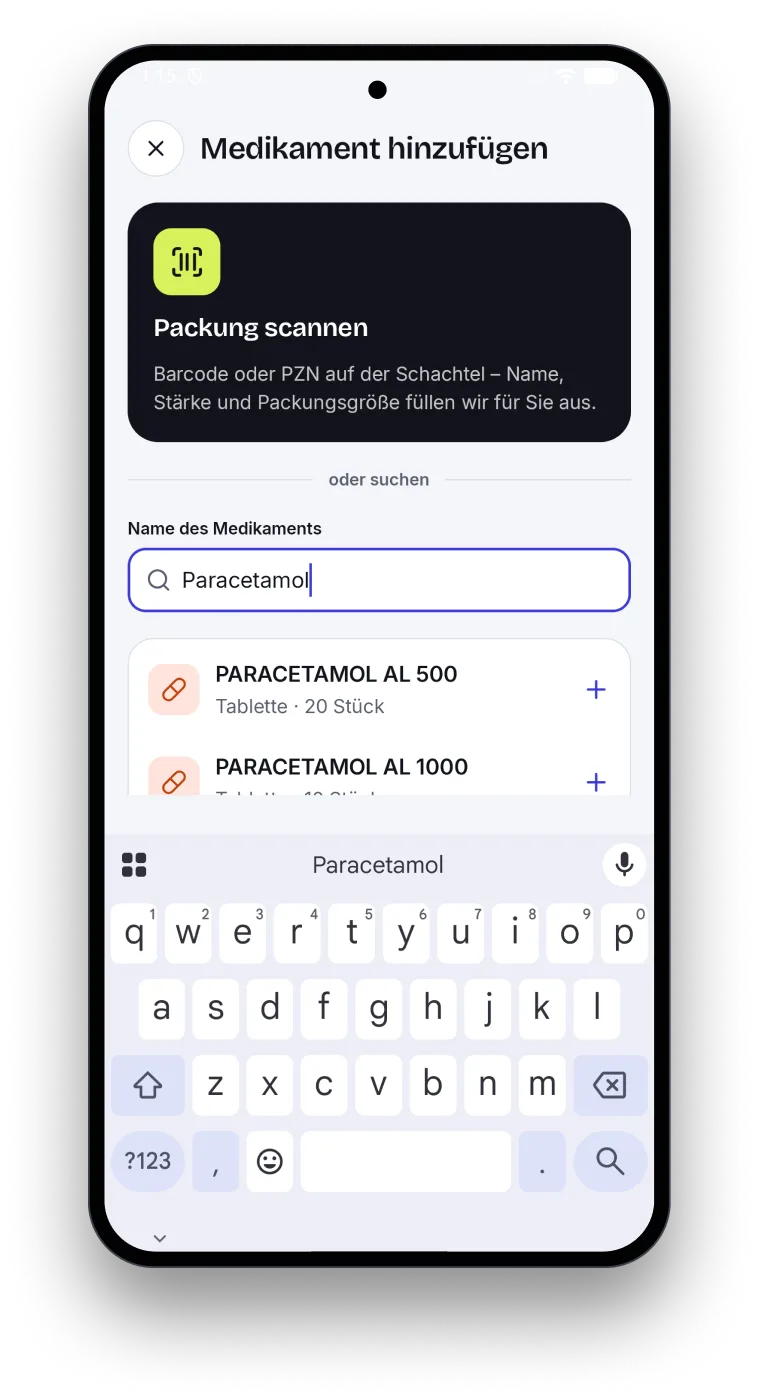
Medivo in the iPhone simulator: the search field says “Paracetamol”, with the results below.Medivo in the Android emulator with the same search for “Paracetamol”.

Test cases

Record your steps once and replay them on both platforms.
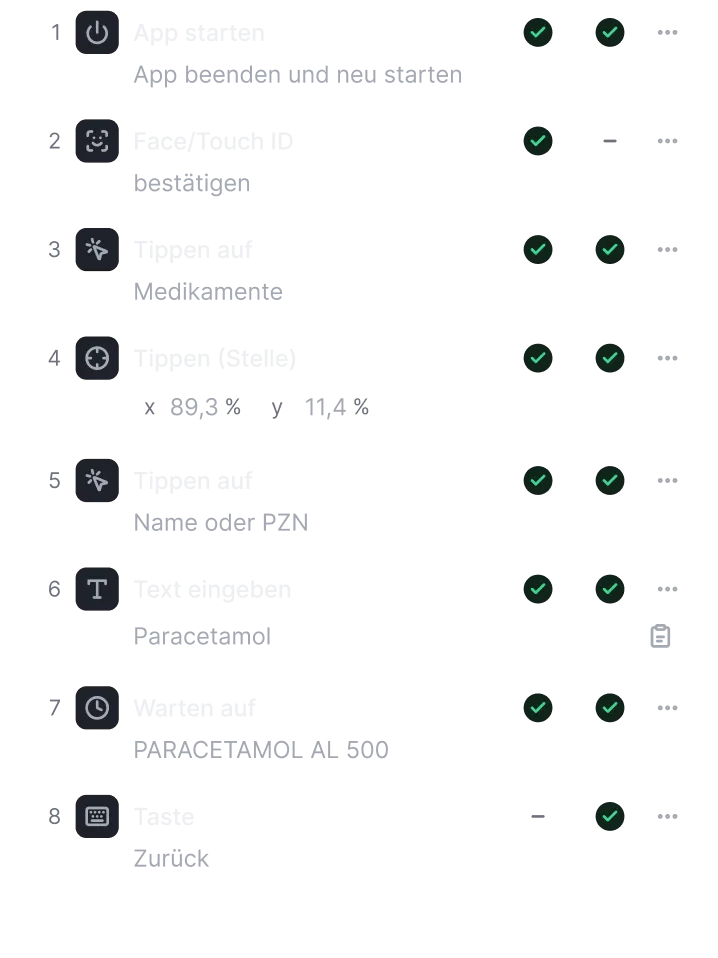
Steps of a test case: start the app, confirm Face ID, tap “Medikamente”, enter text. Each step has a check mark for iOS and for Android.

Screenshot comparison

Twinbench compares the visible text in both apps and shows you every difference.

Result of a comparison: 18 texts match, 2 appear on only one device, 10 are in a different position.Found only on Android: “PARACETAMOL BC 500 mg”, marked in the screenshot.

Backend mocking

Watch network requests and answer them with your own rules. You don’t have to rebuild the app.
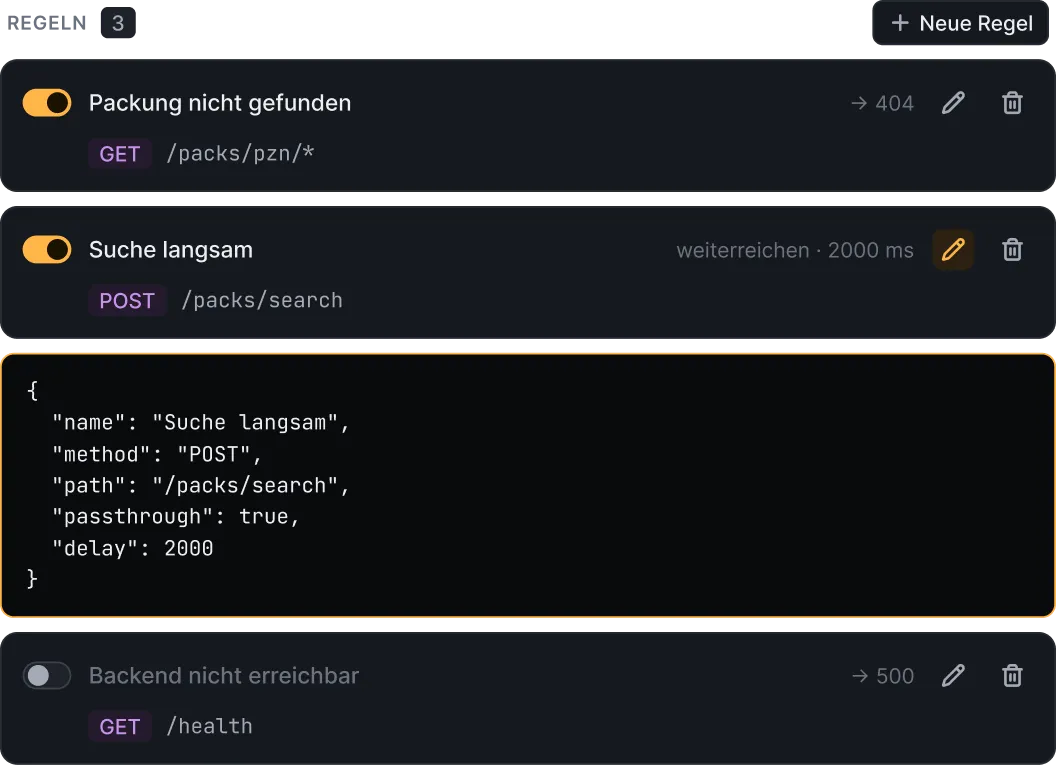
Two mock rules: “Packung nicht gefunden” answers GET /packs/pzn/* with 404, “Suche langsam” delays POST /packs/search by 2000 ms.

No source code needed

An APK and a simulator app are all you need. No Xcode project required.

Push and deep links

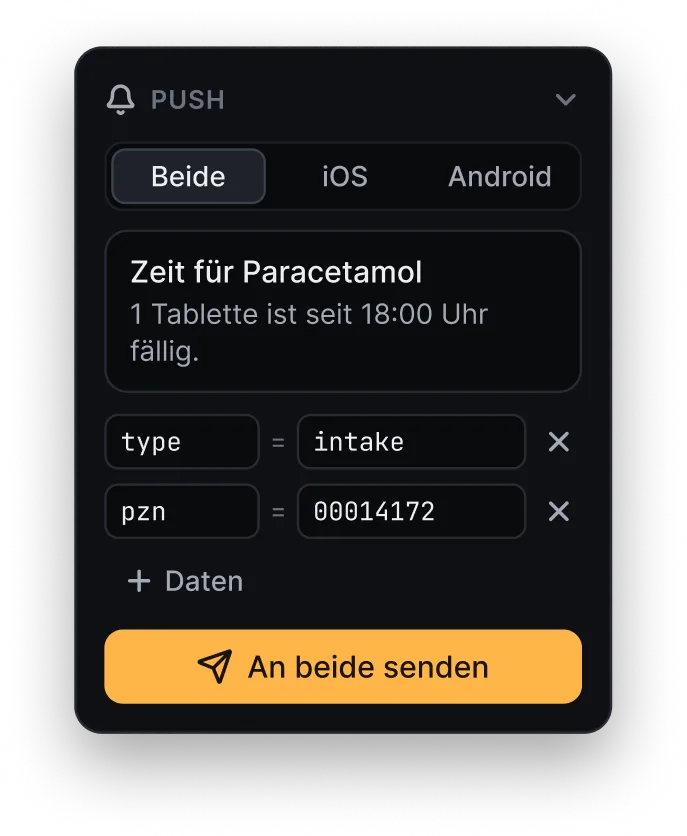
Send a notification or a link to both apps at once. You can see for each device whether it was delivered.
  • iOSdelivered
  • Androiddelivered
The Twinbench send bar: the push notification “Zeit für Paracetamol” for both devices, with its data and the button for sending to both.

Your first test run in three steps.

  1. Choose a project

    Choose your project folder. Twinbench reads the bundle ID, package name and app files for you.

  2. Start the devices

    Twinbench starts the simulator and the emulator, installs both apps and opens them.

  3. Record a test case

    Click through the flow once and save it. After that, it runs on both platforms.

At home in the
terminal, too.

twinbench init creates the configuration for your project, and twinbench starts it. You install the command from the app’s menu.

Try Twinbench
before its release.

Twinbench has not been released yet. As a tester, you get the app today.

Become a testermacOS 13 or later